Order Packing and Shipping
Make Rugs: How to Pack Orders, Ship and Earn Gems
Last updated:
Turn a prepared order rug into a sealed package at the Packing Bench, then take it outside your shop for delivery and gem rewards.
Quick answer
Use Pack an Order at the Packing Bench. Fold up the box, roll the rug, move it into the box, close both short flaps before the long flaps, and tape the top seam from left to right. Once Packed! appears and all five indicators turn green, use Send a Package at the Parcel Cabinet on the sidewalk beside your shop window. Order deliveries add gems to your balance.
View in-game reference
Bring an Order Rug to the Packing Bench
Your phone provides access to orders. Once you have an order rug ready to pack:
- Go to the Packing Bench.
- Use Pack an Order to open the packing interface.
Package labels identify the recipient and rug design. Example labels include Juniper Books — Cloud Bands and Honeycomb Tea Room — Inset Heart; these are individual orders, not fixed design requirements for those customers.
If you still need to finish the rug, follow the rug-making guide. Use the design directory to look up shapes and unlock conditions.
Fold Up the Box, Roll the Rug and Pack It
Complete the first three stages in order:
- Fold Up the Box: Raise all four sides of the flattened cardboard. One working sequence is left and right, then front and back. Complete all four folds before moving on.
- Roll the Rug: Roll up the rug on the worktable.
- Pack the Rug: Move the rolled rug from the table on the right into the box on the left.
The next stage is Close the Flaps.
Close Both Short Flaps Before the Long Flaps
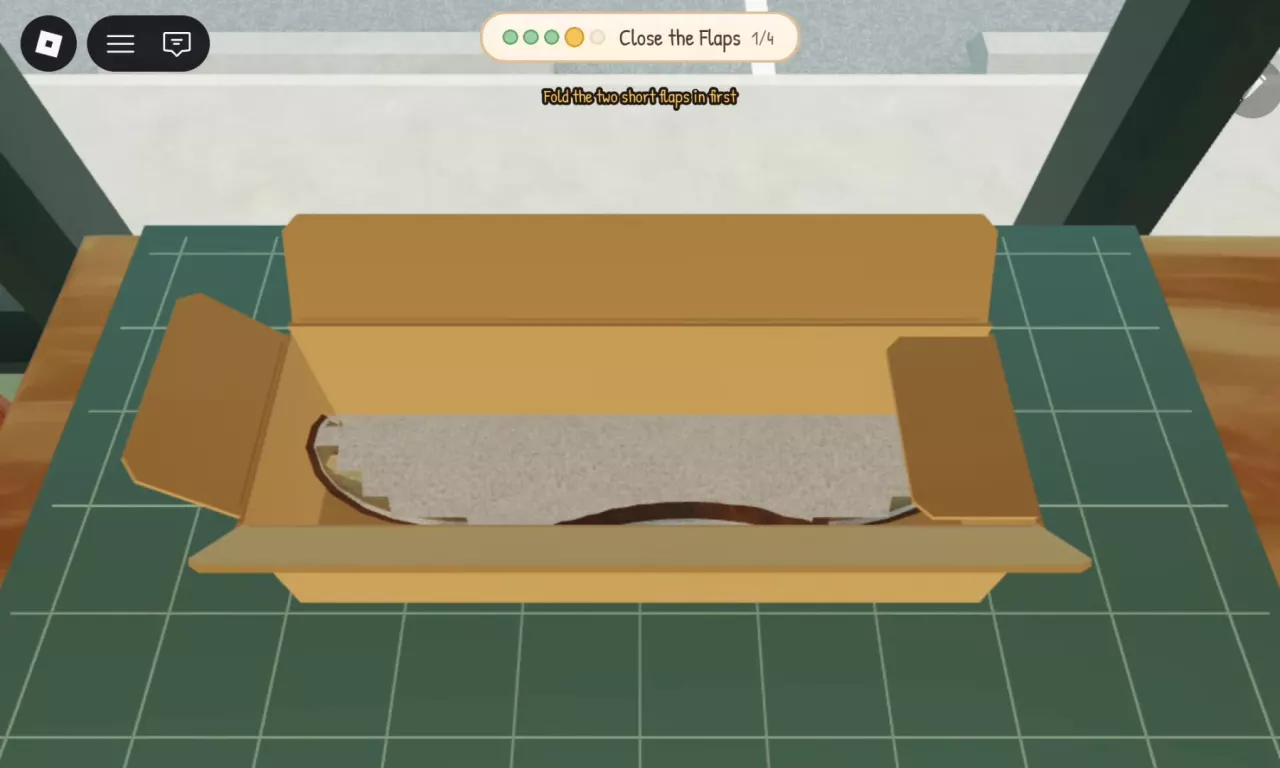
At Close the Flaps, complete the four closures in this order:
- Fold in one short flap.
- Fold in the other short flap.
- Fold down one long flap.
- Fold down the remaining long flap.
If “Fold the two short flaps in first” appears, a short flap still needs closing. Fold in the remaining short flap before trying the long flaps again.
Tape the Top Seam Until Packed Appears
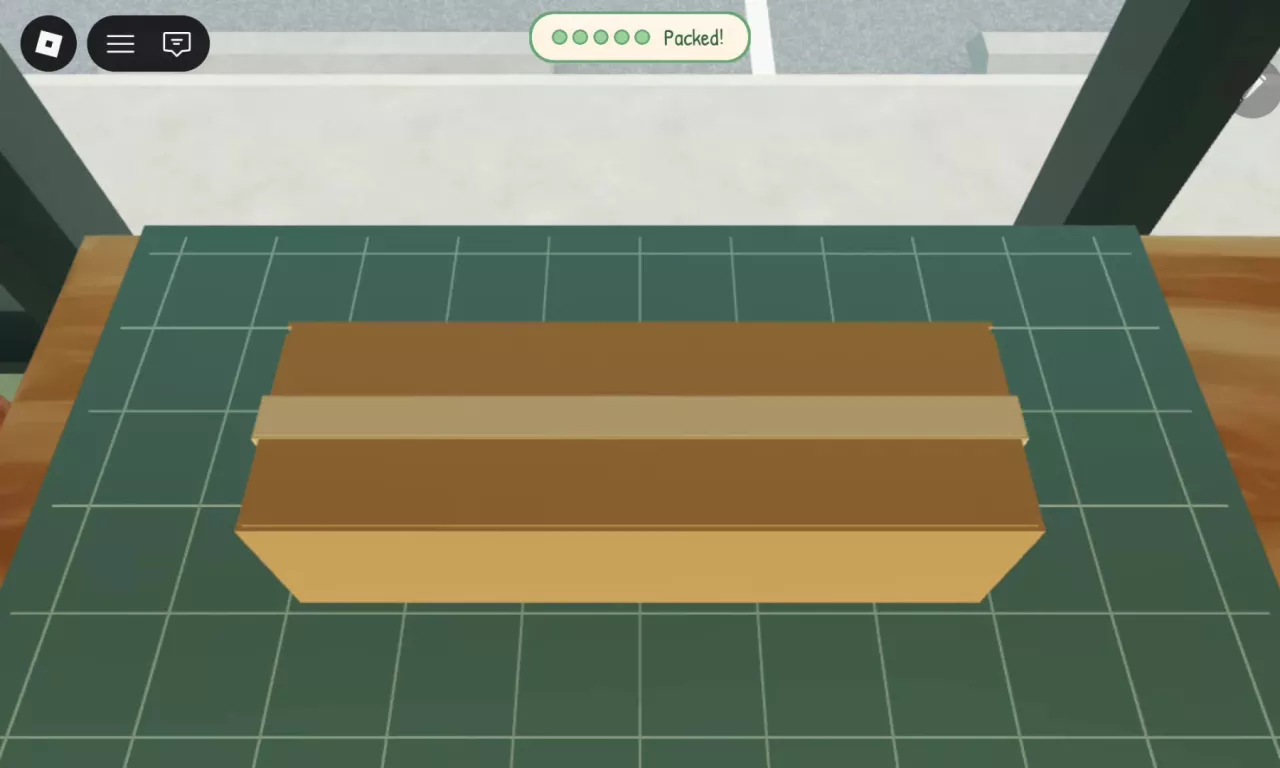
At Tape It Shut, run the tape from left to right along the seam on top of the box. Continue until Packed! appears and all five stage indicators turn green. The package is then ready to ship.
If you have another order rug ready, return to the Packing Bench and use Pack an Order again.
Ship at the Parcel Cabinet Outside the Shop
After packing your order:
- Leave the shop and step onto the sidewalk.
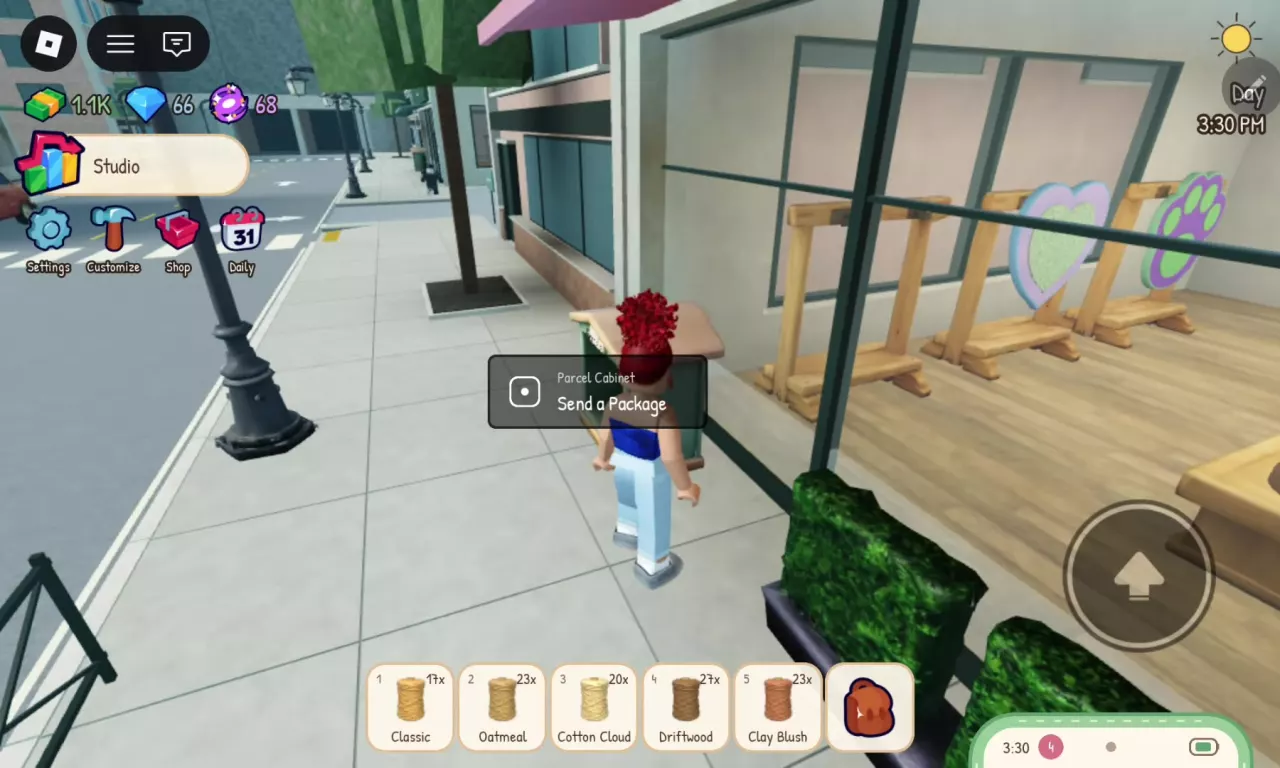
- Find the Parcel Cabinet beside the shop window.
- Approach it and use Send a Package to ship the packed order.
Earn Gems from Order Deliveries
Shipping packed orders through the Parcel Cabinet earns gems. The delivery reward adds to your gem balance when you send the package.
For example, one delivery after several packing rounds earned 6 gems total. That was the total gain for that delivery, not a fixed reward of 6 gems per package.