Find yarn by name and color, collect materials for your next rug, and match each yarn to its assigned pattern area.
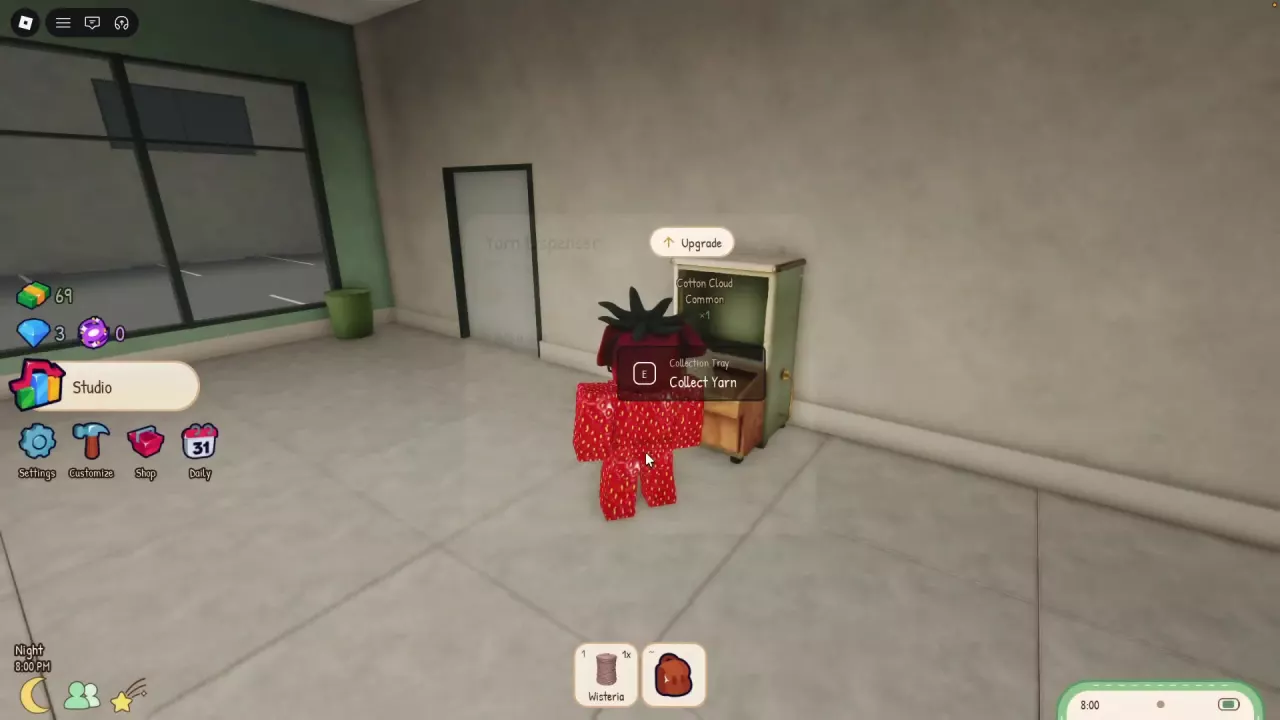
Hold E on Roll Yarn at the Yarn Dispenser, then use E / Collect Yarn at the Collection Tray when yarn is ready. Browse 23 named yarns below. Refill missing stock before completing your design’s assignments, select Sky when a tufting prompt requests it, and read Rug value as a preview of the full selected combination.
Search Yarn Names and Colors
Search by yarn name or filter by color to find a material. Cotton Cloud is a Common, cream-white yarn suited to white regions. Match the names and colors below with the yarn options in your inventory.
Roll Yarn and Collect It from the Tray
Approach the Yarn Dispenser and hold E on Roll Yarn.
When yarn is available, approach the Collection Tray and use E / Collect Yarn to claim it.
Rolling produces random yarn colors and can give you rare yarn. Cotton Cloud is one possible output; collect it when the tray offers it. Collected yarn becomes available for your rug’s material assignments.
Read Stock Counts and Refill Missing Yarn
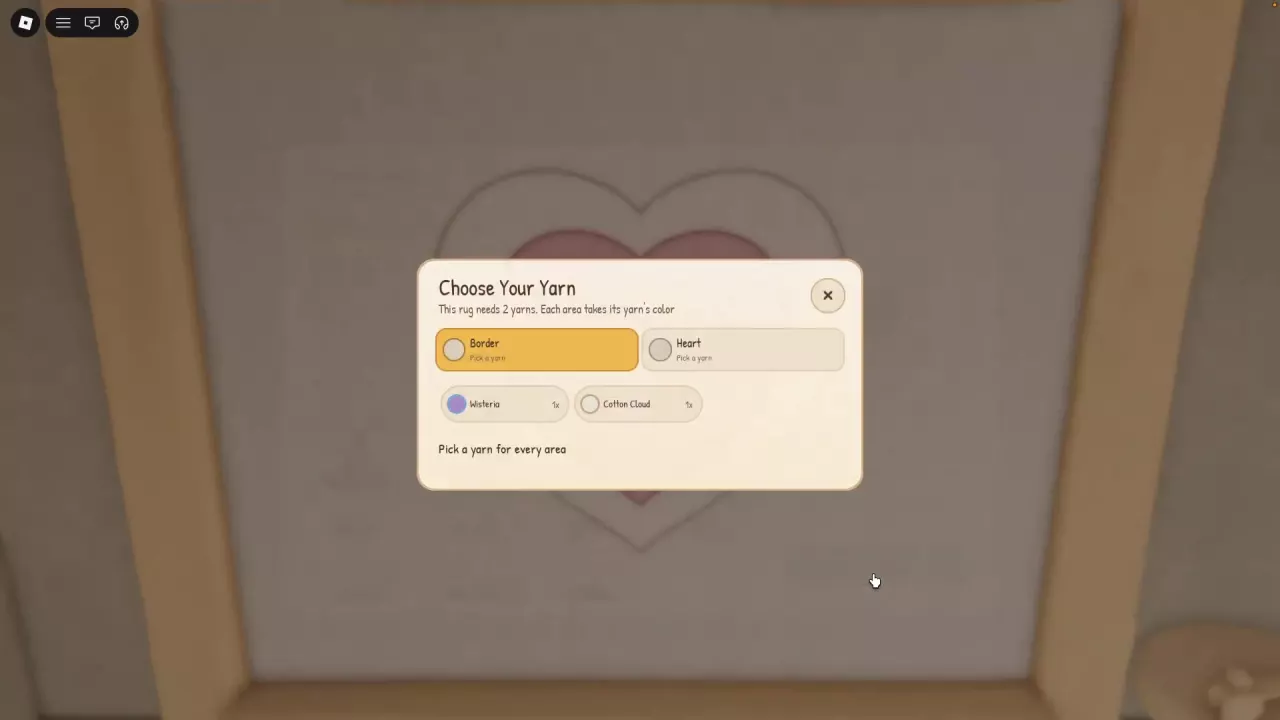
The number beside a yarn in Choose Your Yarn is your available stock. 1x means one portion available, rather than the amount the design requires.
Inset Heart needs two portions: one assigned to Border and one to Heart. If you have only one portion:
Close yarn selection and collect more yarn from the Collection Tray.
Return to Inset Heart’s yarn selection and assign a portion to each of its two slots.
Select Continue once both assignments are complete.
For other designs, follow their yarn-selection requirements. The number of visible pattern areas alone does not tell you how many portions to prepare. See the design directory for design-specific requirements, or follow the rug-making guide for the remaining crafting steps.
Use Sky Yarn When the Region Requests It
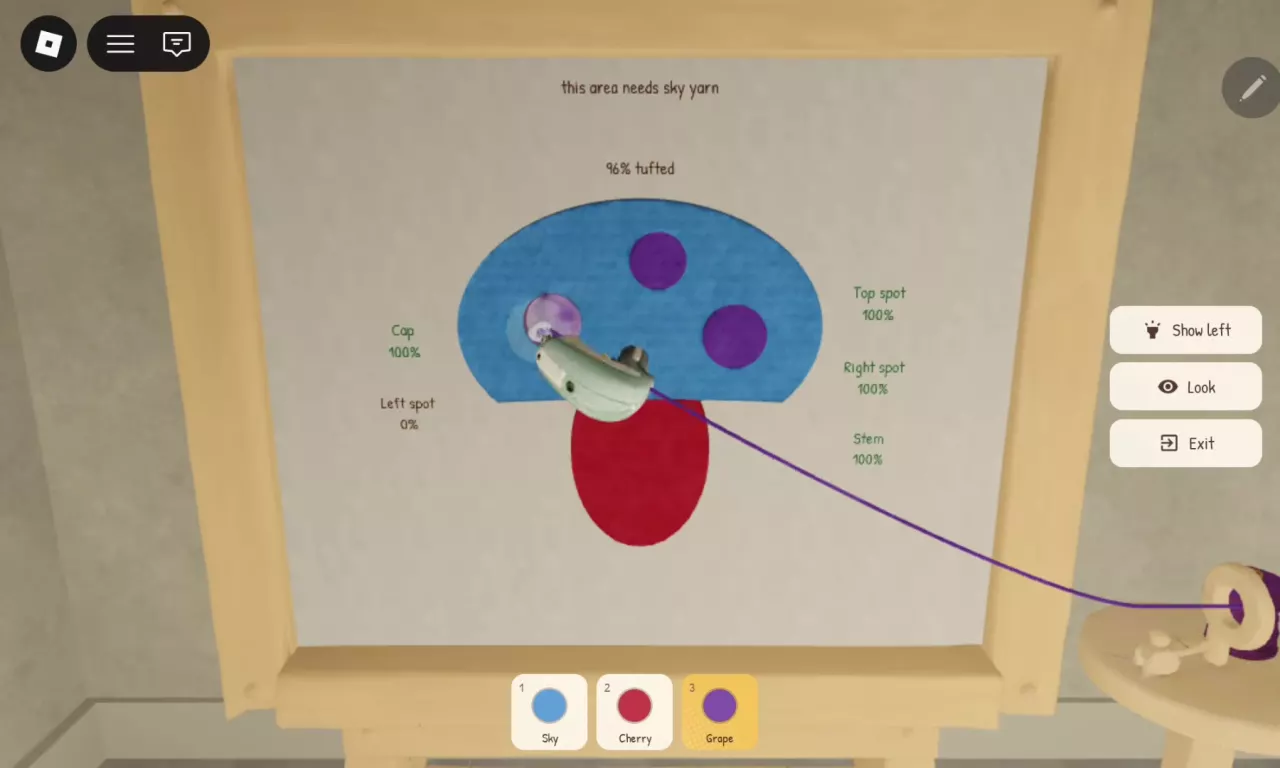
If “this area needs sky yarn” appears while tufting, the area you are touching requires the assigned Sky material. Select Sky in the bottom yarn options, then continue working on that area.
Sky yarn and the Sky region are different things. Sky yarn is blue. In Moon and Stars, Sky is the name of the background area, which can instead be assigned Indigo Denim for blue or Lemon for yellow. Follow the material assigned to the area rather than choosing yarn solely because its name matches the region.
Choose Yarn for Color and Combination Value
For Inset Heart, these two pairings give distinct looks:
White and lavender: assign Cotton Cloud to Border and Wisteria to Heart for a light outer ring around a lavender center.
Dark purple and blue-gray: assign Blackberry to Border and Rainwashed to Heart for stronger contrast between the outer ring and center. This Inset Heart configuration displays Rug value ×2 during yarn selection.
Here, Border is the yarn-filled outer part of the heart pattern. Optional finishing edging is a separate choice.
To choose for value, complete the yarn assignments and compare the Rug value preview before continuing. The ×2 preview belongs to the Blackberry Border + Rainwashed Heart combination on Inset Heart; it is not an individual multiplier for either yarn.